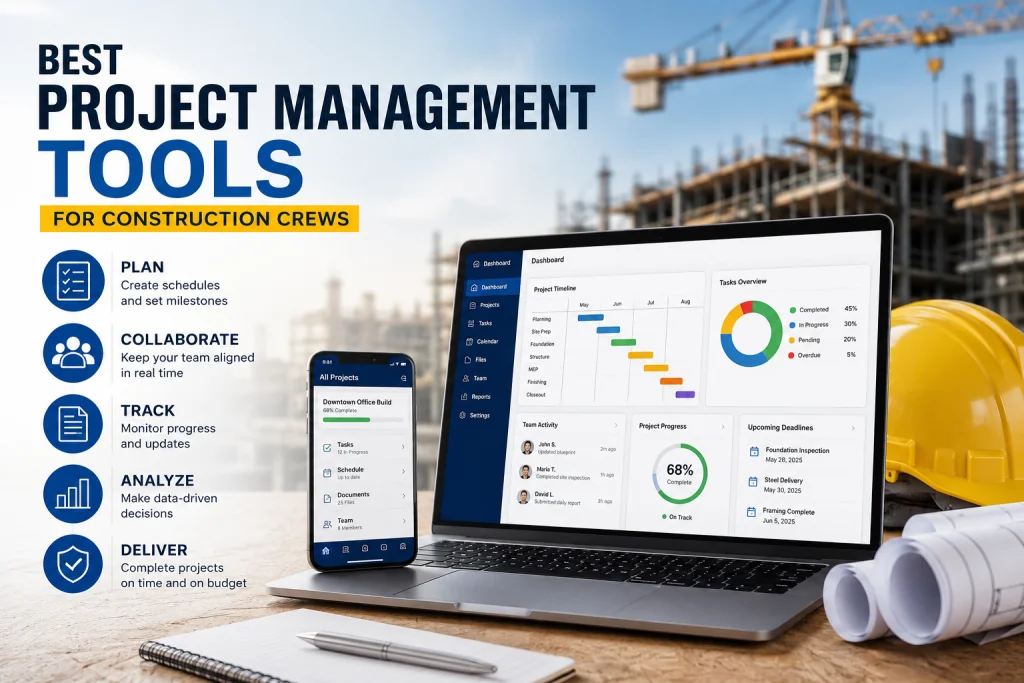
Best Project Management Tools for Construction Crews?
Best Project Management Tools for Construction Crews?
Meta Description: Discover the best project management tools for construction crews. Learn how to find the right software to coordinate jobs, streamline communication, and keep your teams on schedule.
Tags: #ConstructionManagement #ProjectManagement #ConstructionTech #FieldOperations #CrewCoordination
In the construction industry, the difference between a profitable project and a logistical nightmare often comes down to one thing: communication.
When you have multiple crews on-site, subcontractors coming and going, and a back-office team managing budgets and schedules, relying on paper blueprints, whiteboards, and endless group texts is a recipe for costly errors. To build efficiently, you need to bridge the gap between the field and the office.
If you are looking to find software to coordinate jobs and teams, you are in the right place. Here is a comprehensive guide to the best project management tools for construction crews, and how to choose the right one for your business.
Why Construction Crews Need Dedicated PM Software
Generic project management tools (like basic Trello or Asana boards) aren’t built for the dirt, dust, and dynamic nature of a job site. Construction-specific software is designed to handle the unique challenges of the industry, including:
- Real-time Blueprint Updates: Ensuring crews are never building from outdated plans.
- Field-to-Office Communication: Instantly logging RFIs, submittals, and daily reports.
- Resource Allocation: Knowing exactly which crew members and equipment are assigned to which tasks.
- Safety and Compliance: Tracking safety meetings, incident reports, and site audits.
Top Project Management Tools to Coordinate Jobs and Teams
When evaluating software, it is crucial to find a platform that the field crews will actually want to use. If the software is too clunky on a mobile device, it won’t get adopted. Here are the top contenders in the market today:
1. Fieldwire
Best for: Task management and field coordination for small to mid-sized crews. Fieldwire is arguably the most "crew-friendly" app on the market. It allows superintendents and foremen to assign tasks directly from blueprints on their tablets or phones. Crews can view their daily schedules, update task statuses, add photos, and manage punch lists without ever needing to walk back to the site trailer.
- Standout Feature: Offline mode. Crews can continue working and logging tasks in basements or remote areas without Wi-Fi, and the app will sync once the connection is restored.
2. Procore
Best for: Large-scale commercial projects and enterprise-level coordination. Procore is the industry heavyweight. It connects every aspect of the construction lifecycle, from pre-planning to closeout. While it is heavily utilized by the back-office for financials and contract management, its field-quality management and drawing tools are exceptional for keeping large teams coordinated.
- Standout Feature: Unmatched integration. Procore connects with hundreds of other tools, ensuring your estimating, accounting, and scheduling software all talk to each other.
3. Raken
Best for: Daily reporting and field visibility. If your main goal is to get better visibility into what your crews are actually doing each day, Raken is a game-changer. It replaces the dreaded paper daily log with a simple, mobile-friendly interface. Crew leads can clock in, log weather conditions, record equipment usage, and submit daily reports in just a few taps.
- Standout Feature: Automated daily reports. The software compiles all field data into a clean, professional PDF that is automatically emailed to the office and the client at the end of the day.
4. Autodesk Build
Best for: Complex builds requiring heavy BIM and drawing management. Formerly known as PlanGrid and BIM 360, Autodesk Build is a powerhouse for technical coordination. If your projects require complex MEP (Mechanical, Electrical, Plumbing) coordination and 3D modeling, this tool ensures that the field crews have the most accurate, clash-detected models right in the palms of their hands.
- Standout Feature: Advanced version control. It guarantees that every single person on the job site is looking at the exact same revision of a drawing, eliminating rework caused by outdated plans.
5. Buildertrend
Best for: Residential builders, remodelers, and custom home crews. Buildertrend excels at keeping the client, the office, and the field crew on the same page. It offers robust scheduling, daily logs, and a client portal. For crews, the mobile app provides clear daily itineraries, selection sheets, and task lists, ensuring everyone knows what needs to be accomplished before the client walks through the door.
- Standout Feature: The client portal. It drastically reduces the "What’s going on with my house?" phone calls, allowing clients to check progress and approve change orders themselves.
Key Features to Look for When Choosing Software
To truly coordinate jobs and teams effectively, ensure the software you choose includes these non-negotiable features:
- Mobile-First Design: The interface must be intuitive on a smartphone or tablet. If it requires a desktop computer to function properly, it will fail in the field.
- Offline Capabilities: Job sites rarely have perfect cell service. The app must allow crews to view plans and input data offline.
- Photo and Annotation Tools: Crews need to be able to snap a picture of a defect, draw a circle around it on the digital blueprint, and assign it to a subcontractor instantly.
- Time Tracking Integration: The ability for crews to clock in and out directly against specific tasks or cost codes saves hours of administrative payroll work.
How to Successfully Implement New Software
Buying the software is only 20% of the battle; getting your crews to use it is the other 80%.
- Get Field Buy-In: Don’t just let the back-office pick the tool. Bring a foreman or lead carpenter into the evaluation process. If the field trusts the tool, adoption will be seamless.
- Start with a Pilot Project: Don’t roll the software out to the entire company at once. Pick one upcoming job, run it entirely through the new software, and work out the kinks.
- Provide Hands-On Training: Don’t just send out a manual. Hold a tailgate meeting, pass out tablets, and walk the crew through the app step-by-step.
Finding the right software to coordinate jobs and teams is no longer a luxury for construction companies; it is a necessity for survival in a tight-margin industry. The right project management tool will eliminate the chaos of the job site, reduce costly rework, and most importantly, allow your crews to focus on what they do best: building.
What project management tools is your crew currently using? Have you found a game-changer for field coordination? Let us know in the comments below!
Found this article valuable?
Share it with fellow builders, architects, or download the QR code.
Written by Shanmugam2026
Verified CreatorARQONZ Editorial Team brings you expert insights, construction guides, and architectural design trends from across the building industry.
Related Articles in Construction

What Should I Never Say to My Contractor?